You can use the imagepatternedline() function with extra features instead of imagedashedline() to give a visible dashedlines and other any kind of patterned lines on your images. The routine also manages the thickness of the line. Have fun!
<?php
// imagepatternedline() function
// Routine was developed to draw any kind of straight line with thickness. Routine uses imageline() function to draw line.
// Parameters are (similar to imageline() function):
// $image: (resource) imagefile
// $xstart, $ystart: (int) x,y coordinates for first point
// $xend, $yend: (int) x,y coordinates for last point
// $color: (int) color identifier that created with imagecolorallocate()
// extra parameters:
// $thickness: (int) thickness of line in pixel
// $pattern: (string) pattern of line, which repeats continuously while line is being drawed.
// If there is '1' in the pattern that means the actual dot of line is visible,
// '0' means dot is not visible (space between two line elements).
// All characters regard for one pixel. Default: 1 dot wide dashed line with 4-4 dots and spaces.
// Examples for pattern:
// "1" or "" continuous line
// "10" close dotline
// "10000" dotline
// "111111110000001100000011111111" dotline for design drawing
// "111111111100000011000000110000001111111111" double dotline
// some examples for using imagepatternedline():
// imagepatternedline($image,300,300,442,442,$color,200,""); // a square with 200 length of edge and rotated 45 degrees
// imagepatternedline($image,100,200,289,200,$color,100,
// "11001100000011001111000011001111110000001100001100"
// ."00001111001100111100000011000000110000110011001100"
// ."11000011111100111111000011001111001111000011110000"
// ."1111001111110011000011000000001100110011"); // barcode
function imagepatternedline($image, $xstart, $ystart, $xend, $yend, $color, $thickness=1, $pattern="11000011") {
$pattern=(!strlen($pattern)) ? "1" : $pattern;
$x=$xend-$xstart;
$y=$yend-$ystart;
$length=floor(sqrt(pow(($x),2)+pow(($y),2)));
$fullpattern=$pattern;
while (strlen($fullpattern)<$length) $fullpattern.=$pattern;
if (!$length) {
if ($fullpattern[0]) imagefilledellipse($image, $xstart, $ystart, $thickness, $thickness, $color);
return;
}
$x1=$xstart;
$y1=$ystart;
$x2=$x1;
$y2=$y1;
$mx=$x/$length;
$my=$y/$length;
$line="";
for($i=0;$i<$length;$i++){
if (strlen($line)==0 or $fullpattern[$i]==$line[0]) {
$line.=$fullpattern[$i];
}else{
$x2+=strlen($line)*$mx;
$y2+=strlen($line)*$my;
if ($line[0]) imageline($image, round($x1), round($y1), round($x2-$mx), round($y2-$my), $color);
$k=1;
for($j=0;$j<$thickness-1;$j++) {
$k1=-(($k-0.5)*$my)*(floor($j*0.5)+1)*2;
$k2= (($k-0.5)*$mx)*(floor($j*0.5)+1)*2;
$k=1-$k;
if ($line[0]) {
imageline($image, round($x1)+$k1, round($y1)+$k2, round($x2-$mx)+$k1, round($y2-$my)+$k2, $color);
if ($y) imageline($image, round($x1)+$k1+1, round($y1)+$k2, round($x2-$mx)+$k1+1, round($y2-$my)+$k2, $color);
if ($x) imageline($image, round($x1)+$k1, round($y1)+$k2+1, round($x2-$mx)+$k1, round($y2-$my)+$k2+1, $color);
}
}
$x1=$x2;
$y1=$y2;
$line=$fullpattern[$i];
}
}
$x2+=strlen($line)*$mx;
$y2+=strlen($line)*$my;
if ($line[0]) imageline($image, round($x1), round($y1), round($xend), round($yend), $color);
$k=1;
for($j=0;$j<$thickness-1;$j++) {
$k1=-(($k-0.5)*$my)*(floor($j*0.5)+1)*2;
$k2= (($k-0.5)*$mx)*(floor($j*0.5)+1)*2;
$k=1-$k;
if ($line[0]) {
imageline($image, round($x1)+$k1, round($y1)+$k2, round($xend)+$k1, round($yend)+$k2, $color);
if ($y) imageline($image, round($x1)+$k1+1, round($y1)+$k2, round($xend)+$k1+1, round($yend)+$k2, $color);
if ($x) imageline($image, round($x1)+$k1, round($y1)+$k2+1, round($xend)+$k1, round($yend)+$k2+1, $color);
}
}
}
?>imagedashedline
(PHP 4, PHP 5, PHP 7, PHP 8)
imagedashedline — 破線を描画する
説明
これは古い関数です。代わりに imagesetstyle() と imageline() の組み合せを使用してください。
パラメータ
imageimagecreatetruecolor()のような画像作成関数が返す GdImage オブジェクト。
x1-
左上の x 座標。
y1-
左上の y 座標 0。0 は画像の左上の角です。
x2-
右下の x 座標。
y2-
右下の y 座標。
color-
塗りつぶし色。imagecolorallocate() で作成された色識別子。
変更履歴
| バージョン | 説明 |
|---|---|
| 8.0.0 |
image は、
GdImage
クラスのインスタンスを期待するようになりました。
これより前のバージョンでは、有効な gd resource が期待されていました。
|
例
例1 imagedashedline() の例
<?php
// 100x100 の画像を作成します
$im = imagecreatetruecolor(100, 100);
$white = imagecolorallocate($im, 0xFF, 0xFF, 0xFF);

// 縦の破線を描画します
imagedashedline($im, 50, 25, 50, 75, $white);

// 画像を保存します
imagepng($im, './dashedline.png');
imagedestroy($im);
?>
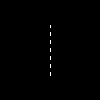
上の例の出力は、 たとえば以下のようになります。
例2 imagedashedline() のもうひとつの使用法
<?php
// 100x100 の画像を作成します
$im = imagecreatetruecolor(100, 100);
$white = imagecolorallocate($im, 0xFF, 0xFF, 0xFF);

// 独自のスタイルの作成: 最初の 4 ピクセルを白色、
// 次の 4 ピクセルを透明とし、破線風の効果を作成します
$style = Array(
                $white,
                $white,
                $white,
                $white,
                IMG_COLOR_TRANSPARENT,
                IMG_COLOR_TRANSPARENT,
                IMG_COLOR_TRANSPARENT,
                IMG_COLOR_TRANSPARENT
                );

imagesetstyle($im, $style);

// 破線を描画します
imageline($im, 50, 25, 50, 75, IMG_COLOR_STYLED);

// 画像を保存します
imagepng($im, './imageline.png');
imagedestroy($im);
?>
参考
- imagesetstyle() - 線描画用のスタイルを設定する
- imageline() - 直線を描画する
+add a note
User Contributed Notes 5 notes
tgabor72 at freemail dot hu 
13 years ago
ProfessorNeo at gmx dot de 
18 years ago
The bug reported by 'michi at marel dot at' also exists in PHP version 5.1.1. This functions just works with vertical lines!
alien-scripts.de 
18 years ago
I make my own dashedline:

<?
for($l=50;$l<=550;$l+=5)
   {
    if($da == 0) { $da = 1; }
    elseif($da == 1){
    imageline($bild,$l,50,$l+5,50,$green);
    $da = 0; }
   }
?>

$l is the x-value
and we have a dashed line :)
michi at marel dot at 
20 years ago
There's a bug till PHP 4.0.4 in this function. You can only draw vertical dashed lines. To draw other dashed lines you can set <ImageSetStyle> to a special dashed line and draw it by <ImageLine>.


Sample code:

<?php

function MDashedLine($image, $x0, $y0, $x1, $y1, $fg, $bg)

{

        $st = array($fg, $fg, $fg, $fg, $bg, $bg, $bg, $bg);

        ImageSetStyle($image, $st);

        ImageLine($image, $x0, $y0, $x1, $y1, IMG_COLOR_STYLED);

}

?>