function imagestringdown(&$image, $font, $x, $y, $s, $col)
{
$width = imagesx($image);
$height = imagesy($image);
$text_image = imagecreate($width, $height);
$white = imagecolorallocate ($text_image, 255, 255, 255);
$black = imagecolorallocate ($text_image, 0, 0, 0);
$transparent_colour = $white;
if ($col == $white)
$transparent_color = $black;
imagefill($text_image, $width, $height, $transparent_colour);
imagecolortransparent($text_image, $transparent_colour);
imagestringup($text_image, $font, ($width - $x), ($height - $y), $s, $col);
imagerotate($text_image, 180.0, $transparent_colour);
imagecopy($image, $text_image, 0, 0, 0, 0, $width, $height);
}imagestringup
(PHP 4, PHP 5, PHP 7, PHP 8)
imagestringup — Draw a string vertically
Description
Draws a string vertically at the given
coordinates.
Parameters
-
image A GdImage object, returned by one of the image creation functions, such as imagecreatetruecolor().
-
font Can be 1, 2, 3, 4, 5 for built-in fonts in latin2 encoding (where higher numbers corresponding to larger fonts) or GdFont instance, returned by imageloadfont().
x-
x-coordinate of the bottom left corner.
y-
y-coordinate of the bottom left corner.
string-
The string to be written.
color-
A color identifier created with imagecolorallocate().
Changelog
| Version | Description |
|---|---|
| 8.1.0 |
The font parameter now accepts both an GdFont instance
and an int; previously only int was accepted.
|
| 8.0.0 |
image expects a GdImage
instance now; previously, a valid gd resource was expected.
|
Examples
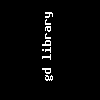
Example #1 imagestringup() example
<?php
// create a 100*100 image
$im = imagecreatetruecolor(100, 100);

// Write the text
$textcolor = imagecolorallocate($im, 0xFF, 0xFF, 0xFF);
imagestringup($im, 3, 40, 80, 'gd library', $textcolor);

// Save the image
imagepng($im, './stringup.png');
imagedestroy($im);
?>
The above example will output something similar to:
See Also
- imagestring() - Draw a string horizontally
- imageloadfont() - Load a new font
+add a note
User Contributed Notes 1 note
Anonymous 
21 years ago
